
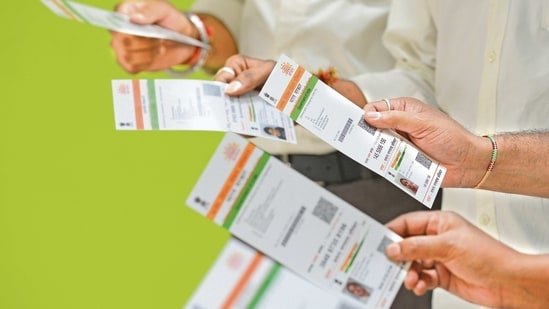
For millions of Indians, the Aadhaar card remains a vital proof of identity and a key to accessing government services. To simplify its access, the government has introduced a new feature that lets people download their Aadhaar directly through WhatsApp. The service is available via the official MyGov Helpdesk chatbot, giving users a faster way to retrieve their Aadhaar without navigating multiple apps or websites.

Until now, Aadhaar downloads were possible through the UIDAI portal or DigiLocker. With the latest integration, WhatsApp becomes another secure option for citizens to keep their documents within reach. However, to use this service, individuals must have a DigiLocker account linked to their Aadhaar and ensure that their registered mobile number is active.
Also read: How to quietly limit someone on Instagram without blocking, unfollowing, or causing drama
The MyGov Helpdesk operates through the number +91-9013151515, which users need to save in their contacts. Once added, the process of downloading Aadhaar is straightforward.
Steps to download Aadhaar via WhatsApp:
- Save the MyGov Helpdesk number (+91-9013151515) on your phone.
- Open WhatsApp and send a greeting such as “Hi” or “Namaste.”
- Select DigiLocker services from the options shared by the chatbot.
- Confirm your DigiLocker account and provide your 12-digit Aadhaar number.
Also read: iPhone 17 vs 17 Pro vs Air: Which new iPhone is best for photography?
- Enter the OTP sent to your registered mobile number for verification.
- After successful authentication, the chatbot will display a list of available documents.
- Select Aadhaar, and a PDF version of the card will be sent directly on WhatsApp.
Note: Only one document can be retrieved at a time, and Aadhaar must already be linked in DigiLocker. If not linked, users need to update the details through the DigiLocker website or app before using the WhatsApp option.
Also read: Samsung Galaxy S25 review: Flagship features in a handful package
How to Download Aadhaar without OTP:
For individuals who wish to download Aadhaar without an OTP, the UIDAI website offers an alternative option. By entering details such as name, gender, and date of birth, users can check their records. They must then provide their Aadhaar number, request number, and date of birth to proceed. Instead of an OTP, a TOTP (time-based one-time password) generated through the mAadhaar app enables access. This electronic version of Aadhaar can be stored on a phone and is accepted as a valid ID proof. However, it cannot be printed.
In short, the new WhatsApp feature is expected to simplify document access for citizens who rely heavily on the platform, offering them a secure way to retrieve Aadhaar without switching between multiple applications.