
Palworld 1.0 is finally upon us. It’s yet another scary reminder of the passage of time that it’s already been two and a half years since the creature-collecting survival game proved itself more than mere parody and exploded to become one of the biggest games ever on Steam. As developer Pocketpair leaves early access, it gives one final warning to anyone who has toyed around with mods, noting that a failure to act could cause crashes, corrupted save data, or hard blocks on quest and event progression. “This is actually quite important, gamers,” community manager John ‘Bucky’ Buckley emphasizes.
Palworld mods have always been supported by Pocketpair, and the Palworld team says it is “grateful to all of our fans who have dedicated time into modding the game up until now.” However, with 1.0 making “significant changes to the game’s systems,” it warns that previously installed mods – particularly those that came out during the first year of its life – can cause some serious problems after transitioning to the new update.
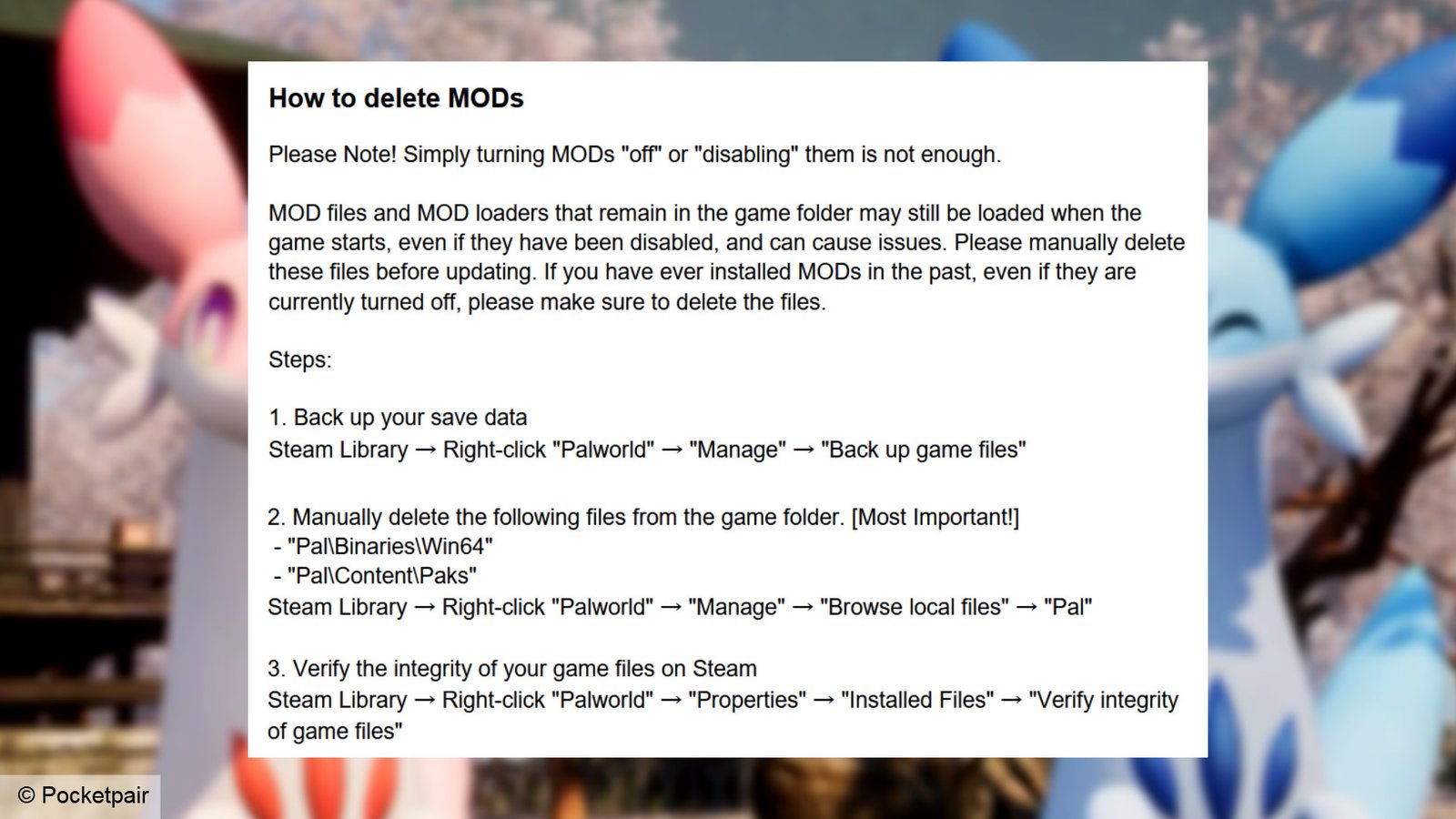
“Please note, simply turning mods ‘off’ or ‘disabling’ them is not enough,” the developer stresses. “Mod files and mod loaders that remain in the game folder may still be loaded when the game starts, even if they have been disabled, and can cause issues.” As a result, it says you need to manually remove any associated files. “If you have ever installed mods in the past, even if they are currently turned off, please make sure to delete the files.”

In order to do this, Pocketpair gives some quick instructions. You’ll first want to back up your save data (this can be done by right-clicking Palworld in your Steam library and clicking ‘manage’). If you’re using Steam Workshop mods, ensure you are unsubscribed from them all. Then head to the game’s install directory (‘manage, browse local files’) and delete both ‘Pal\Binaries\Win64’ and ‘Pal\Content\Paks.’ Finally, return to the properties menu, go to ‘installed files,’ and verify the integrity of your installation.
After finishing, you’ll want to check that the game runs as expected without any mods installed before you download the update. If you’re still having trouble, you can uninstall Palworld as a last resort, but make sure to delete your entire local files directory before attempting to reinstall. This is also a good idea if you haven’t had the game downloaded recently, but did have mods active last time you were playing.

Once you’re up and running on the new version, Pockepair recommends that you only begin reinstalling mods “after confirming that the mod creators have updated them for 1.0, and then testing them one by one.” It notes that any issues that occur while using mods and modified game data “are not covered by support.” Given how seriously the developer is treating this issue, I would encourage following its advice to the letter, just to be on the safe side.
Palworld 1.0 launches on Friday July 10. While it doesn’t give an exact time, Pocketpair says it is “planning to release Palworld 1.0 around 12:30 JST.” That’s 4:30am BST / 5:30am CEST, or Thursday July 9 at 8:30pm PT / 11:30pm ET in America.